
NAMA Protocol Flowchart
Below you will find a detailed explanation of the NAMA process and how it is activated in Intuitivo's A-POPs.
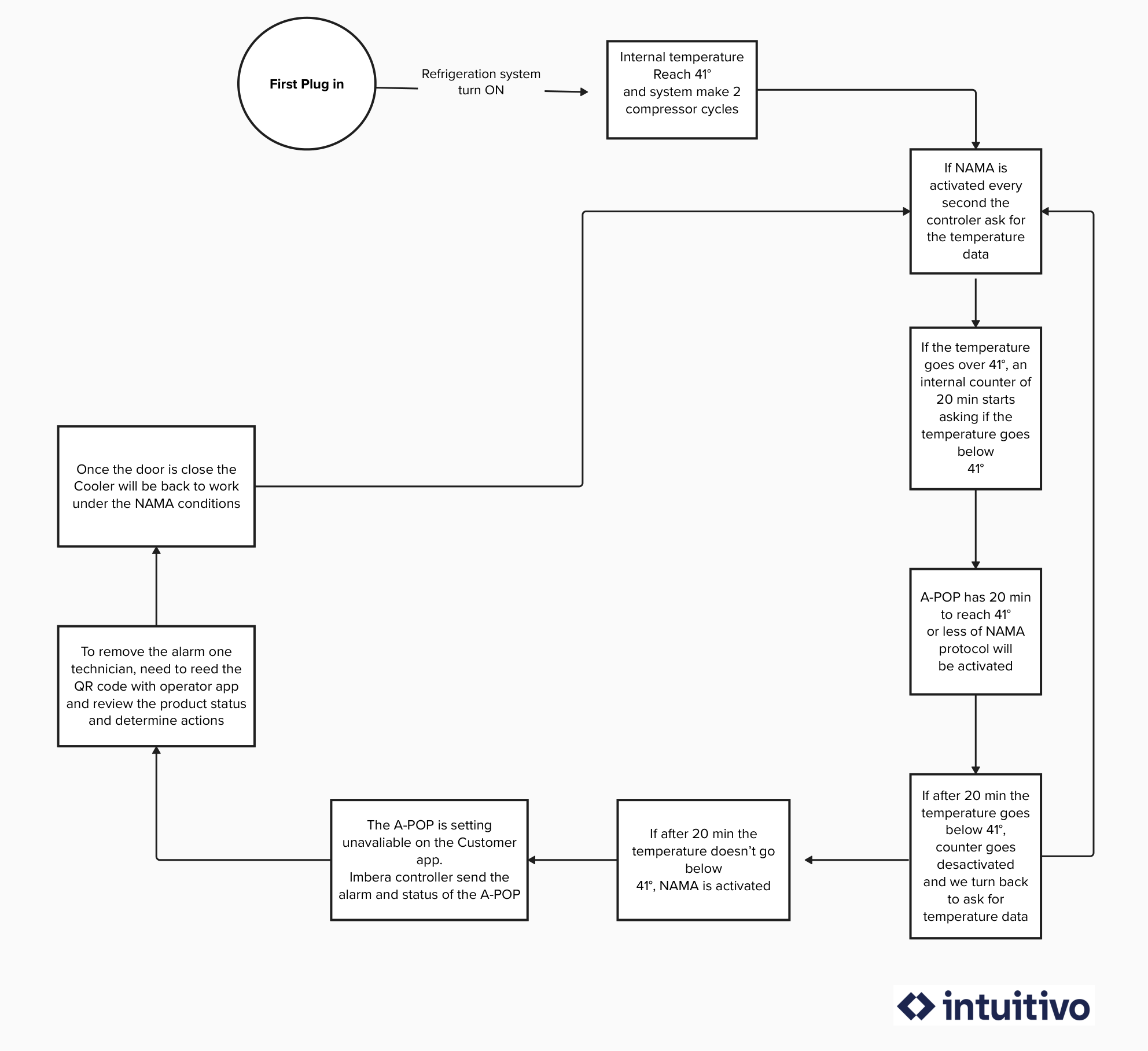
Step by Step Protocol NAMA
- Once the A-POP is plugged in and reaches a temperature of 5 degrees Celsius (41 degrees Fahrenheit) or lower, the NAMA process is activated.
- The temperature of the A-POP is monitored every second.
- During this monitoring cycle, if the temperature of the A-POP rises above 5 degrees Celsius (41 degrees Fahrenheit), an internal timer of 20 minutes is activated.
- If within the next 20 minutes the temperature of that A-POP does not fall below 5 degrees Celsius (41 degrees Fahrenheit), the A-POP lock is engaged. The Health Lock and NAMA protocol are activated.
If during the initial 20 minutes where the internal timer is activated, the temperature drops below 5 degrees (41 Fahrenheit), the timer is deactivated, and temperature monitoring resumes as usual.
- The retailer receives an email with all the information regarding the A-POP affected by the NAMA protocol (A-POP, Location, Incident Date, and Temperature). From that moment, an operator must deactivate the protocol using the Operator App and ensure that all products are in sellable condition.
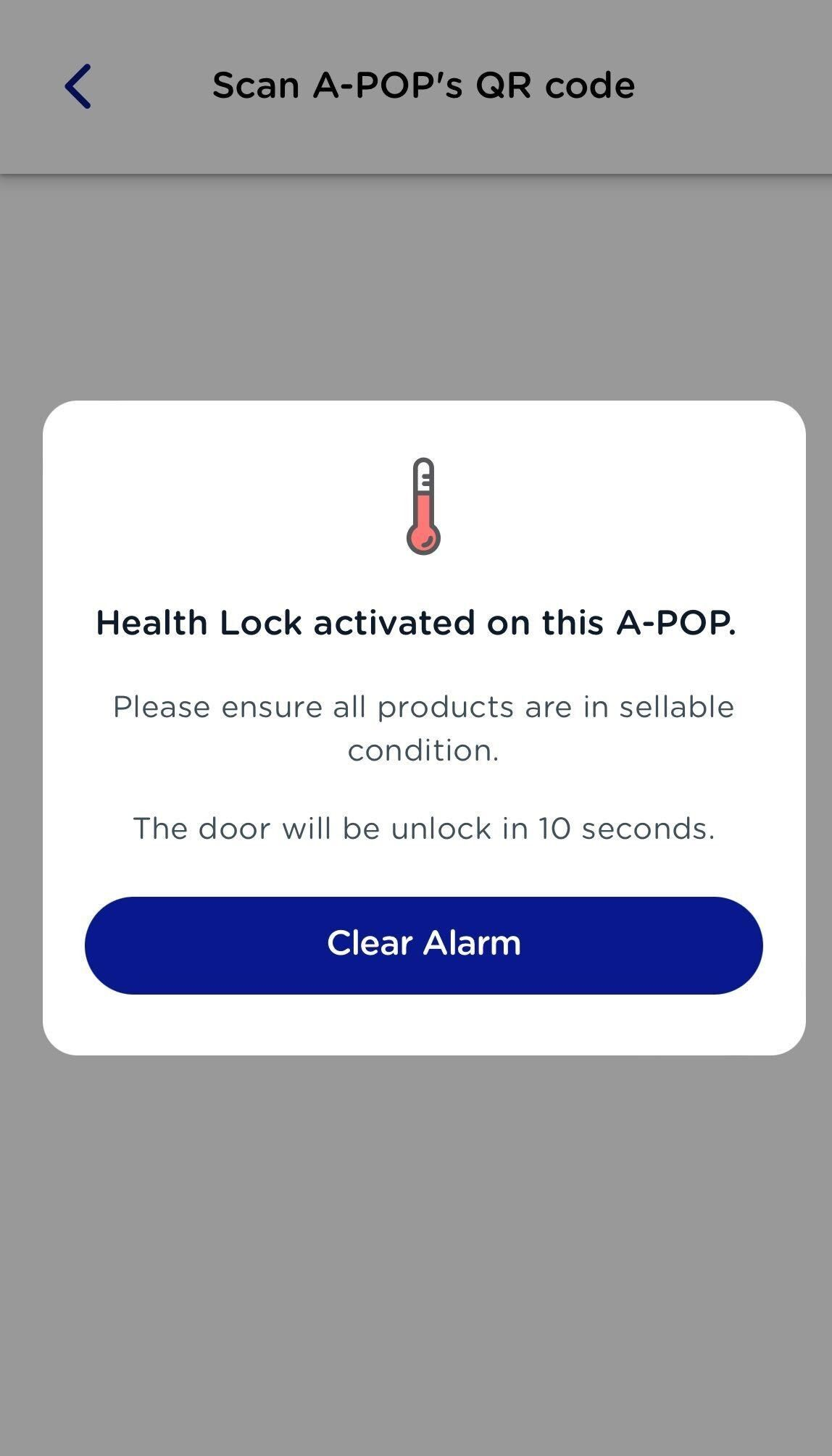
- Once an operator approaches the location and scans the A-POP with the Operator App, a modal will appear with a message indicating that the A-POP has the Health Lock activated, and after 10 seconds, the alarm clears.
- The A-POP becomes operational again. The A-POP begins its cooling process until it reaches below 5 degrees Celsius (41 degrees Fahrenheit). And the NAMA process is reactivated (Return to point 1)
What the User see when the protocol is activated?
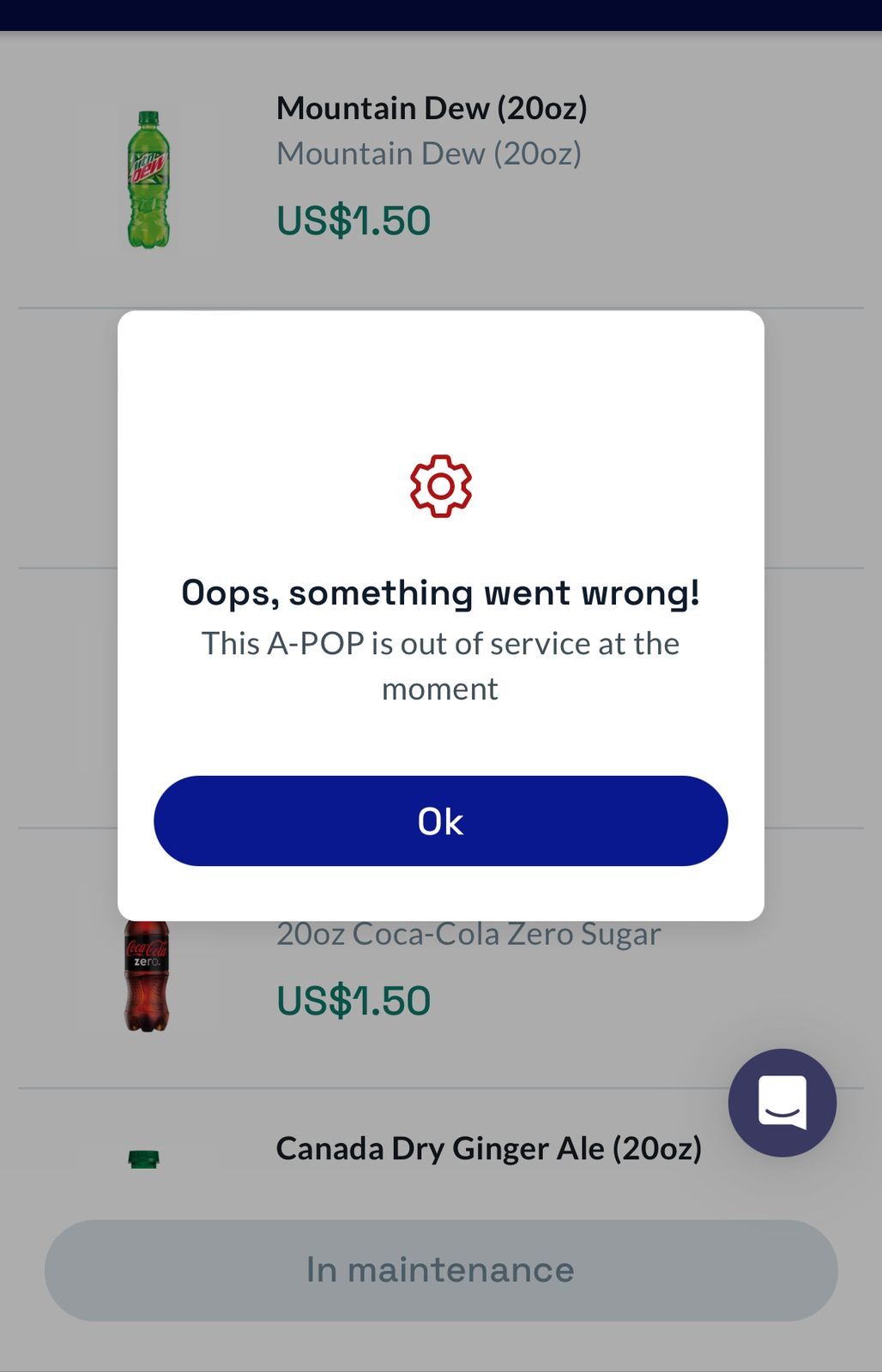
When the NAMA protocol is activated and the A-POP lock is engaged, the user scanning the Wallet App will see the following message and will not be able to proceed with the purchase.
Frequently Ask Questions Regarding NAMA
What happens if I'm performing a Restock process? When is the NAMA protocol activated?
If an operator is conducting a Restock on an A-POP, the timer will be set to 45 minutes instead of 20 minutes. In this case, there will be an additional 25 minutes to prevent the NAMA protocol from being activated in case the door remains open and the temperature of that A-POP rises.
Once the NAMA protocol has been activated, an operator must approach the A-POP to clear the alarm using the Operator App
What happens if you clear the alarm with the Operator App and the temperature never drops below 5 degrees Celsius (41 degrees Fahrenheit)?
A 270-minute timer begins. Once that time elapses, the NAMA protocol is activated.
What happens if I unplug an A-POP or move it to another location (24hs)?
If you transport the A-POP or unplug it and plug it back in within a 24-hour window, the NAMA process runs as usual. There is an internal clock that will monitor the temperature at which it was disconnected and the temperature at which it was reconnected. Based on this calculation, the NAMA protocol may be activated or the A-POP may continue to function normally.
If the disconnection time exceeds 24 hours, the NAMA process starts from scratch.