
Network & Connectivity
Wifi Reset Button
This document will walk you through each step of how you would reset the wifi credentials
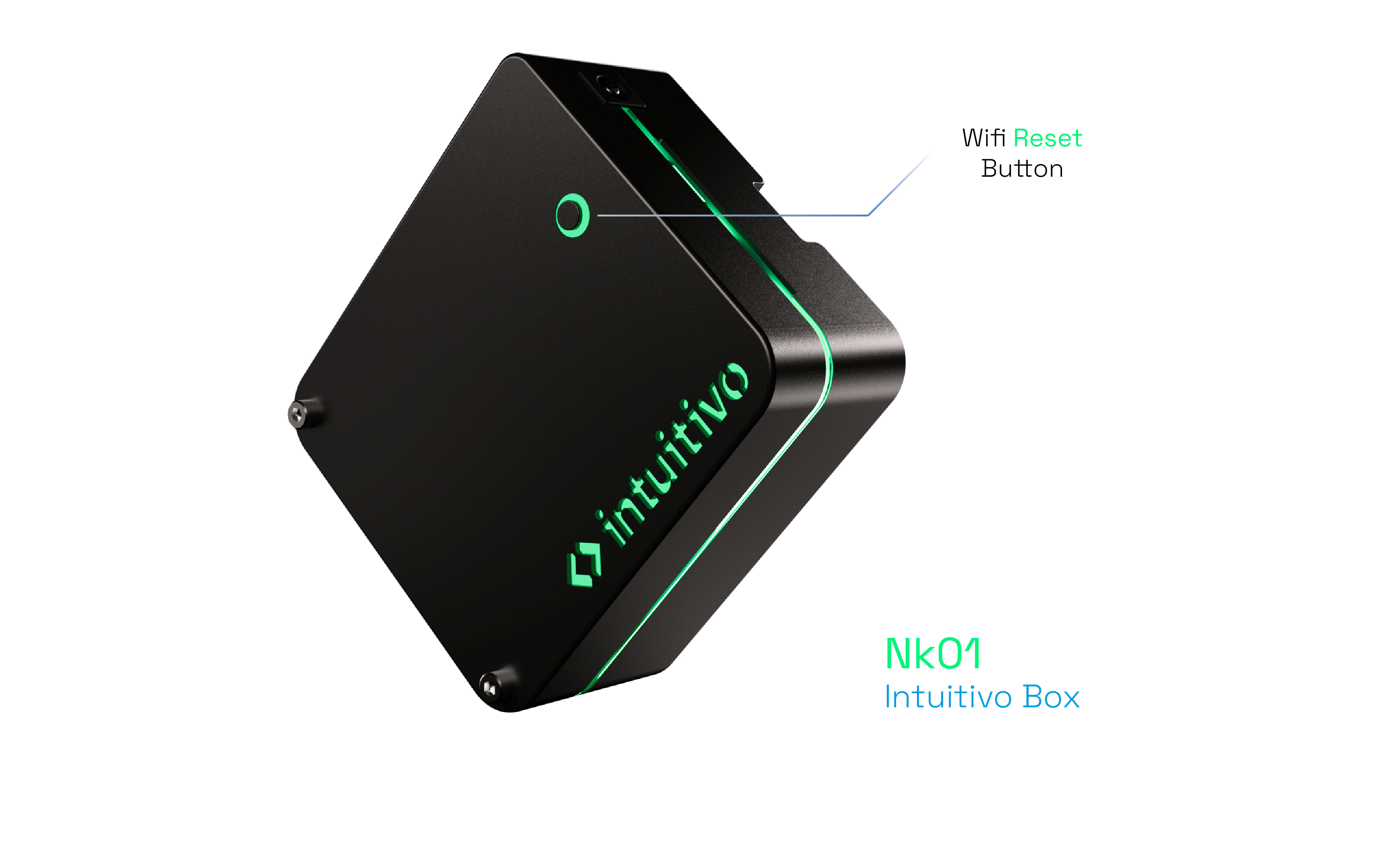
NK01 VERSION
- Keep the button pressed for about 10 seconds to reset the WIFI credentials
VA-27 VERSION
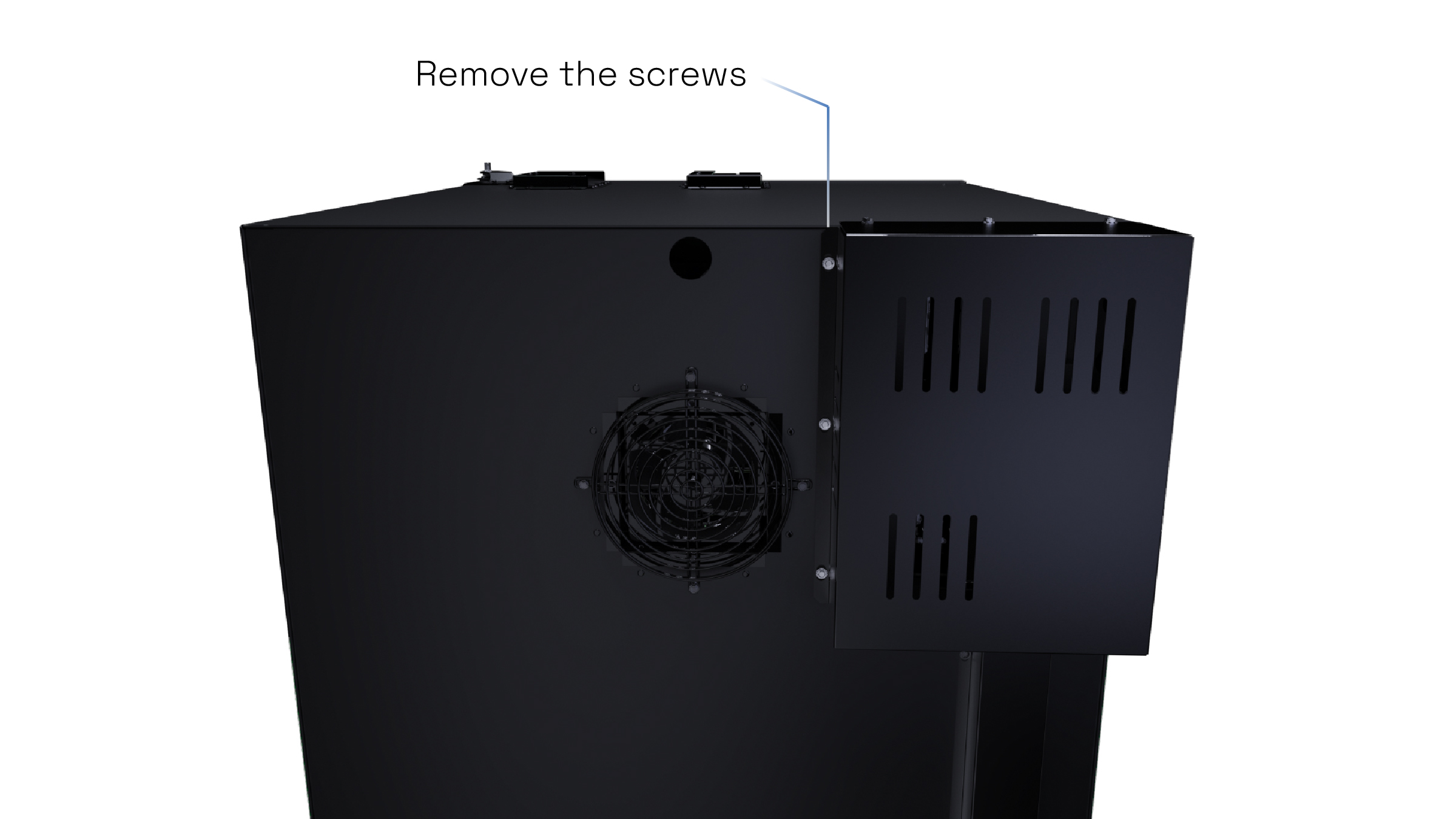
- Remove the screws from the back case
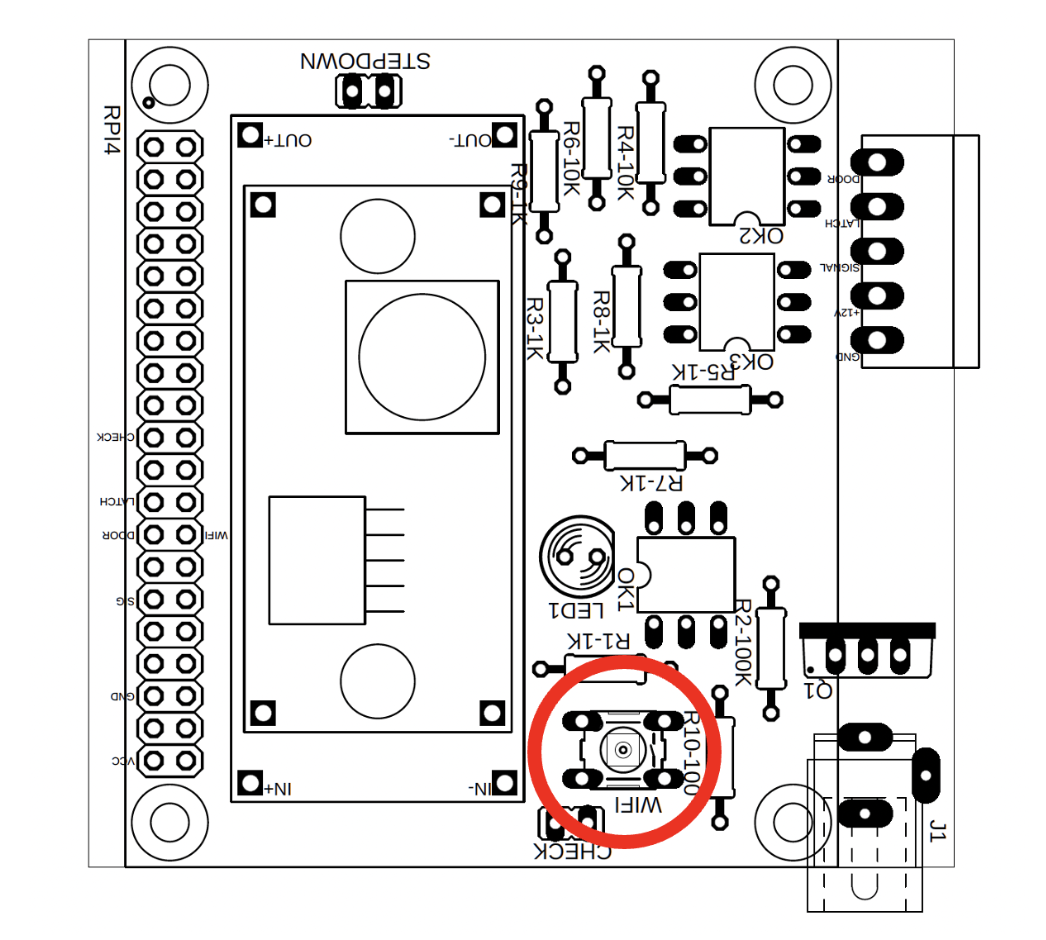
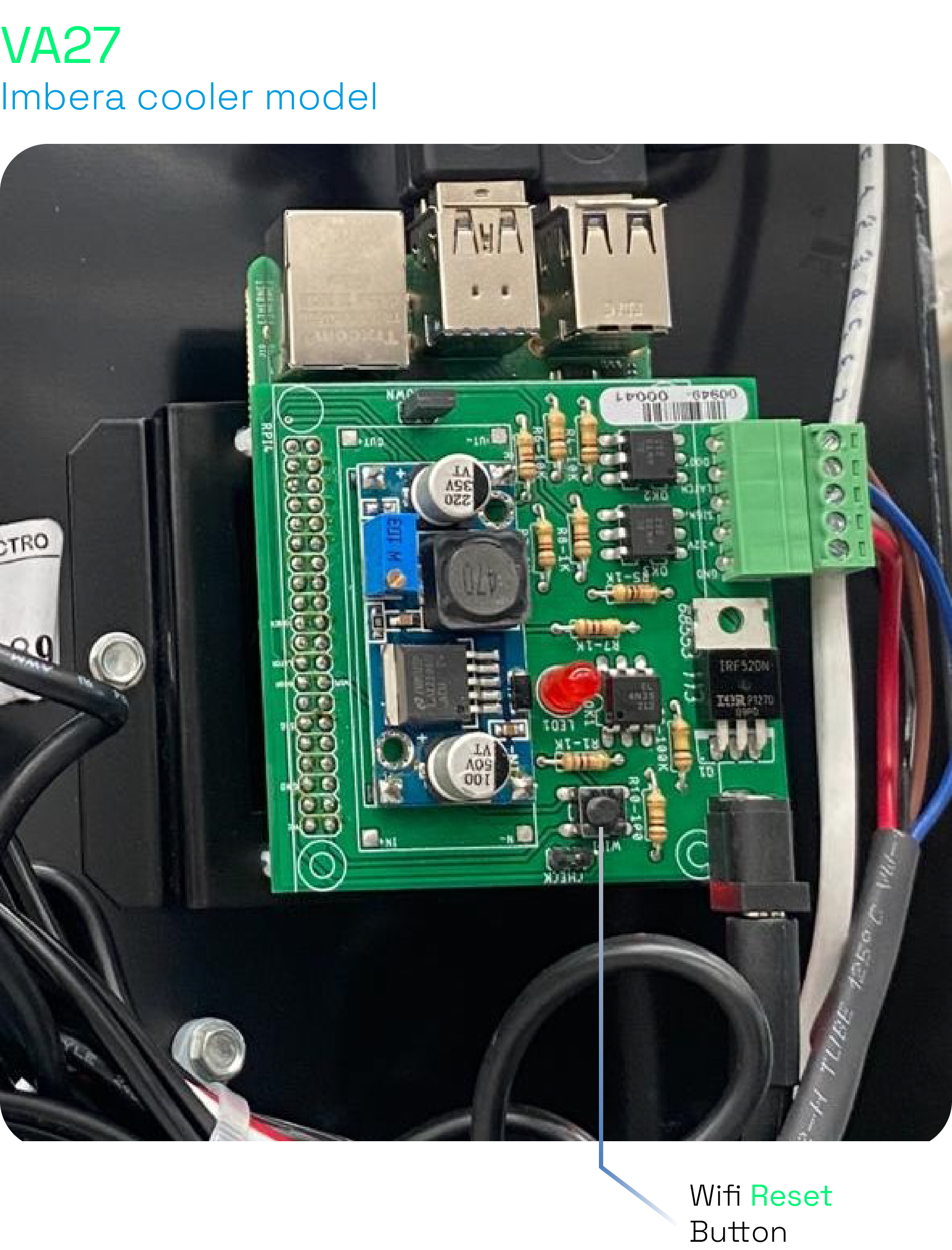
- Identify the WIFI button on the PCB board
IVO-MB-01
- Keep the button CONF SW pressed for about 10 seconds to reset the WIFI credentials
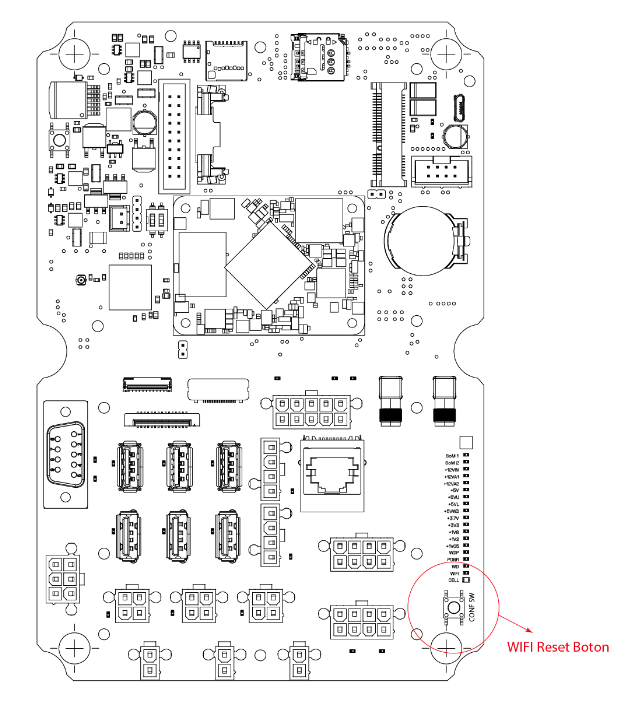
At this point, the steps are similar regardless of the computer model
- Search for available WIFI networks again and reconnect to Intuitivo WIFI
Note: The WIFI network follows the format intuitivo_xx:xx:xx:xx:xx - Open an internet browser (for example: Chrome, Firefox, or Safari) and go to the address 192.168.0.1
Credentials
Username: operator
Password : 4dministr4t0r!!
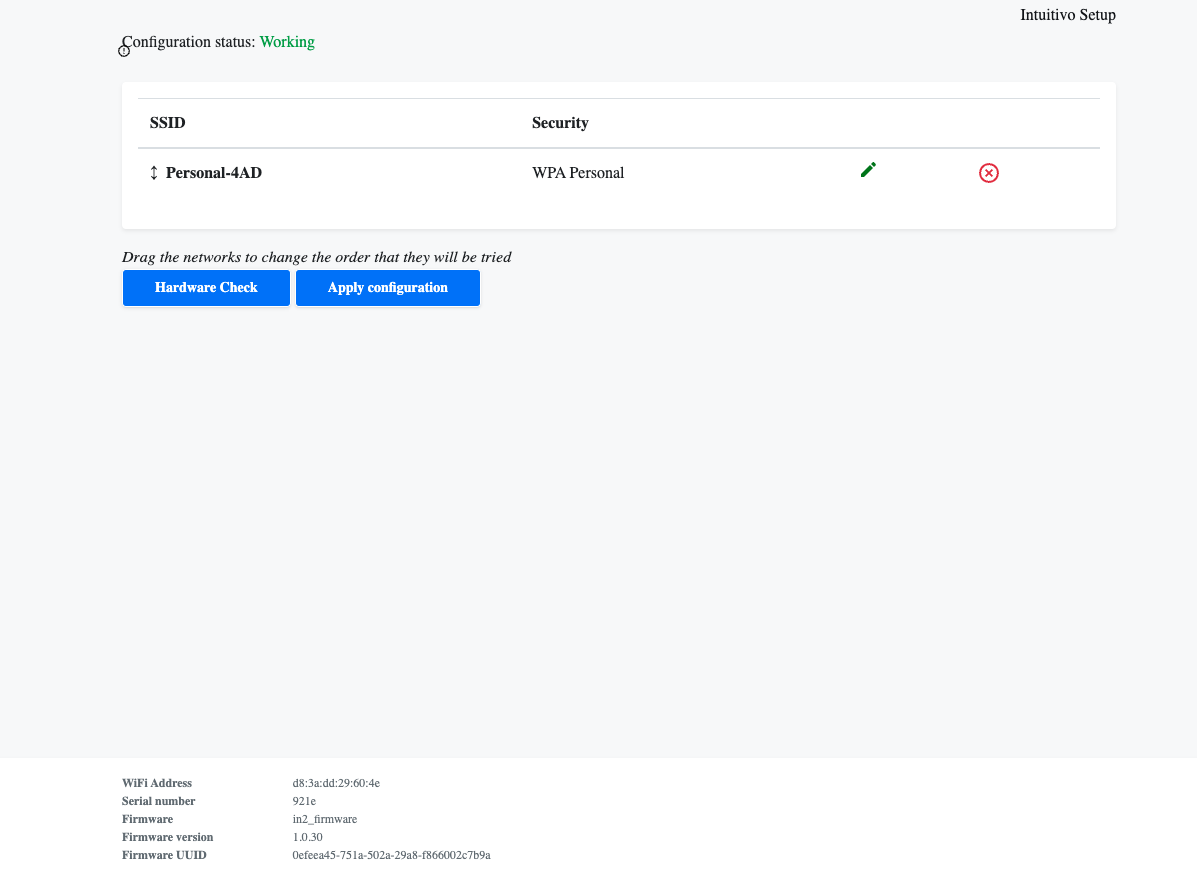
- Clic on Hardware Check
- Scroll down to "Choose a network from the following list:"
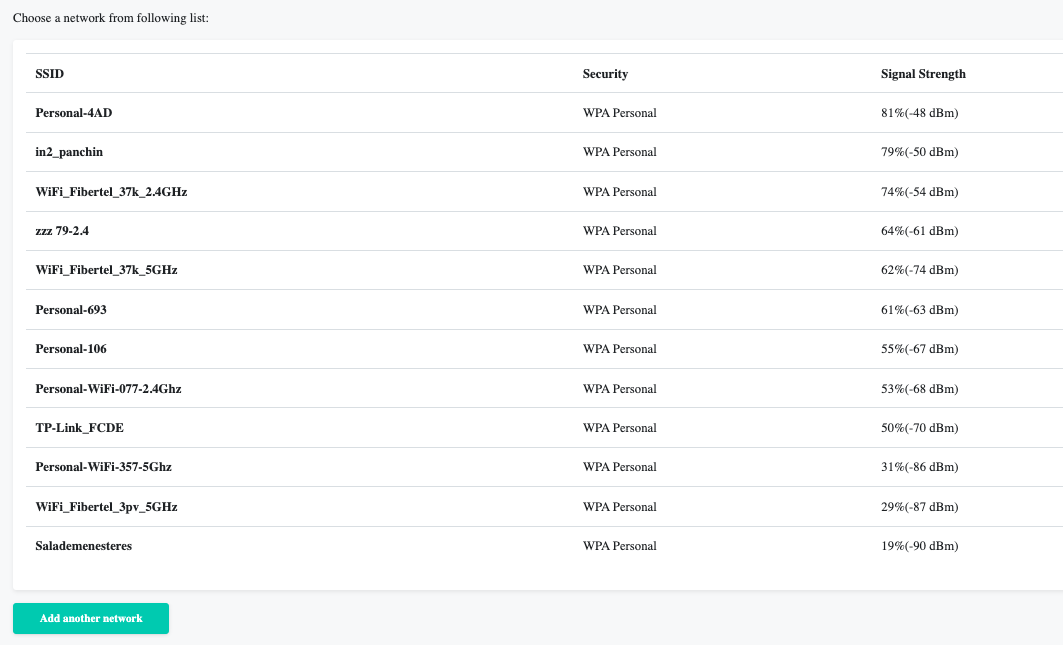
- Clic on the new WIFI, type the password and clic on Submit
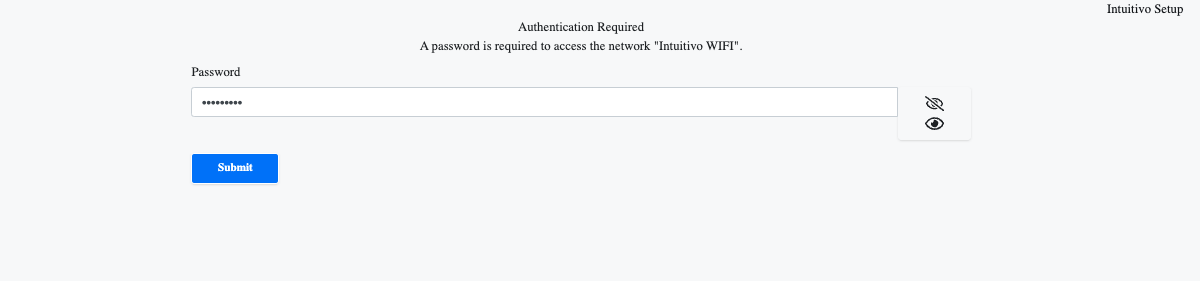
- Delete the previous WiFi by clicking on the X symbol and press the Apply Configuration button
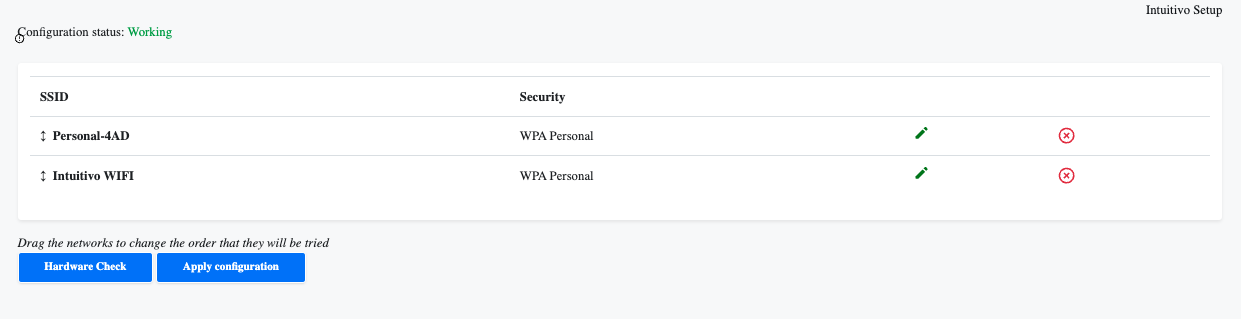
- Then the computer will restart and connect to the new WIFi
